Old Server to New Server — Zero Production Days Lost
A Langley signage and print shop was running production on an aging server. We migrated them to a modern file + print/production environment, reintegrated every industrial printer and plotter, and did it without losing a single production day.
- Client
- Signage & Print Business, Langley
- Location
- Langley, BC
- Setup
- Design studio + production floor
- Software
- Adobe Creative Cloud, print production
An aging server carrying the whole production floor
The shop's existing server was old, slow, and a single point of failure. File shares, print queues, job history, and designer workflows all lived on it. If it failed during a production week, every designer and every output device — office printer, industrial printer, plotter — would stop.
The owner knew it needed to be replaced. The hard part: the shop bills by production output. Every hour offline is revenue lost. We had to lift the whole environment onto a modern stack without interrupting active client jobs.
Aging server, real risk
Hardware past its reliable service life. No redundancy, no modern backup strategy, no alerting. A drive failure would have been a multi-day recovery.
Production equipment tied to the old server
Industrial printer, plotter, and office printers all routed through the old server. Drivers, color profiles, and network paths hadn't been documented.
Dispersed storage
Job files scattered across local drives and the aging server. No single source of truth. Designers occasionally reopened stale versions of client files.
No room for downtime
Active client deadlines on the production floor every week. The migration had to happen without any designer or any output device being offline during business hours.
Flat network, minimal security
One flat network with every device on it. No segmentation, no MFA, no centralized firewall policy, no structured backup verification.
No monitoring or alerting
If a drive started failing, no one would know until it failed. Backups existed but had never been test-restored end to end.
How we migrated without stopping production
Hardware procurement
We scoped the new file server, print/production server, and network gear to the shop's actual production workload and planned growth. Negotiated pricing and sourced everything with accidental damage warranty.
Discovery and migration plan
Full inventory of the existing server: file shares, print queues, job history, designer workstation dependencies, industrial printer and plotter integrations. Scoped a weekend cutover window with a documented rollback path.
New file server + 10 TB centralized storage
Provisioned a new file server with 10 TB of centralized storage. Configured with redundancy so a single drive failure results in zero data loss, active alerting on drive health, and daily remote backup offsite.
New print and production server
New dedicated print/production server configured to route jobs from any designer workstation to office printers, the industrial printer, and the plotter. Drivers and color profiles consolidated on the server.
Designer workstation refresh
Designer workstations upgraded and reconfigured for Adobe Creative Cloud workloads — color-accurate displays, appropriate CPU/GPU for large design files, standardized build across the studio.
Data migration, old to new
Migrated file shares, job history, and print queues from the old server to the new environment. Validated integrity of every share and every job record before cutover.
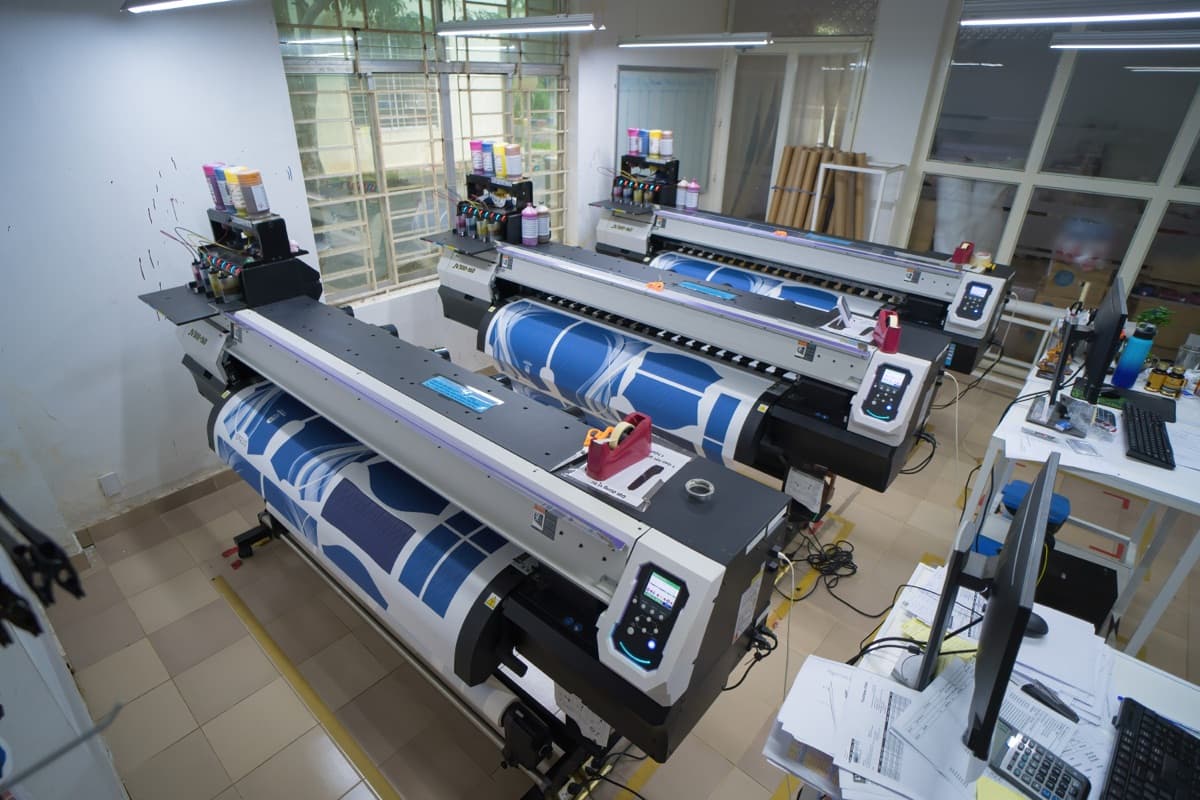
Industrial printer + plotter reintegration
Every output device — office printers, industrial printer, plotter — reintegrated on the new print server with correct drivers, color profiles, and network paths. Tested end-to-end with real production jobs before the old server came offline.
Network segmentation and security
Deployed UniFi network gear with segmented VLANs (designers / production / office / guest). MFA enforced on every account, firewall with deny-by-default rules, EDR on every workstation.
Monitoring, backup, and alerting
24/7 monitoring of the new file and print servers. Daily remote backups with verified test restores. Automated alerting for drive health, backup status, and any service that stops responding.
Cutover and decommission
Weekend cutover with rollback path ready. Monday morning production resumed on the new environment with zero business-day downtime. Old server decommissioned once the new environment was proven stable.
Ongoing managed coverage
Monthly managed IT since cutover. Proactive monitoring, patch management, help desk for designers and production, and quarterly reviews with the owner.
Measurable results
| Metric | Before | After |
|---|---|---|
| Production days lost during migration | — | 0 |
| Centralized storage | Dispersed local + aging server | 10 TB, redundant, alerting |
| Data-loss tolerance on drive failure | Full server rebuild | Zero data loss |
| Industrial printer + plotter routing | Inconsistent, via old server | Centralized print server, any designer → any device |
| Offsite backup | Unverified | Daily remote, verified |
| Network security | Flat, no MFA | Segmented, MFA enforced, firewalled |
| Monitoring & alerting | None | 24/7 with drive & backup alerts |
| Uptime since cutover | — | > 99.5% |
| Average IT response time | Break-fix, days | < 30 minutes |
“Our designers, our production equipment, our file server, and our print server all had to talk to each other. Nexanova scoped it, built it, and maintains it month-to-month. It just works.”
Owner
Signage & Print Business, Langley